Swarm

macOS · Windows · version 0.1.0

Every part of the file,
downloading at once

Swarm is a BitTorrent client that shows you how a download really happens: dozens of pieces coming in side by side from different peers, drawn live in every progress bar. Magnets, DHT, uTP, encryption, RSS, a web remote and streaming are all built in.

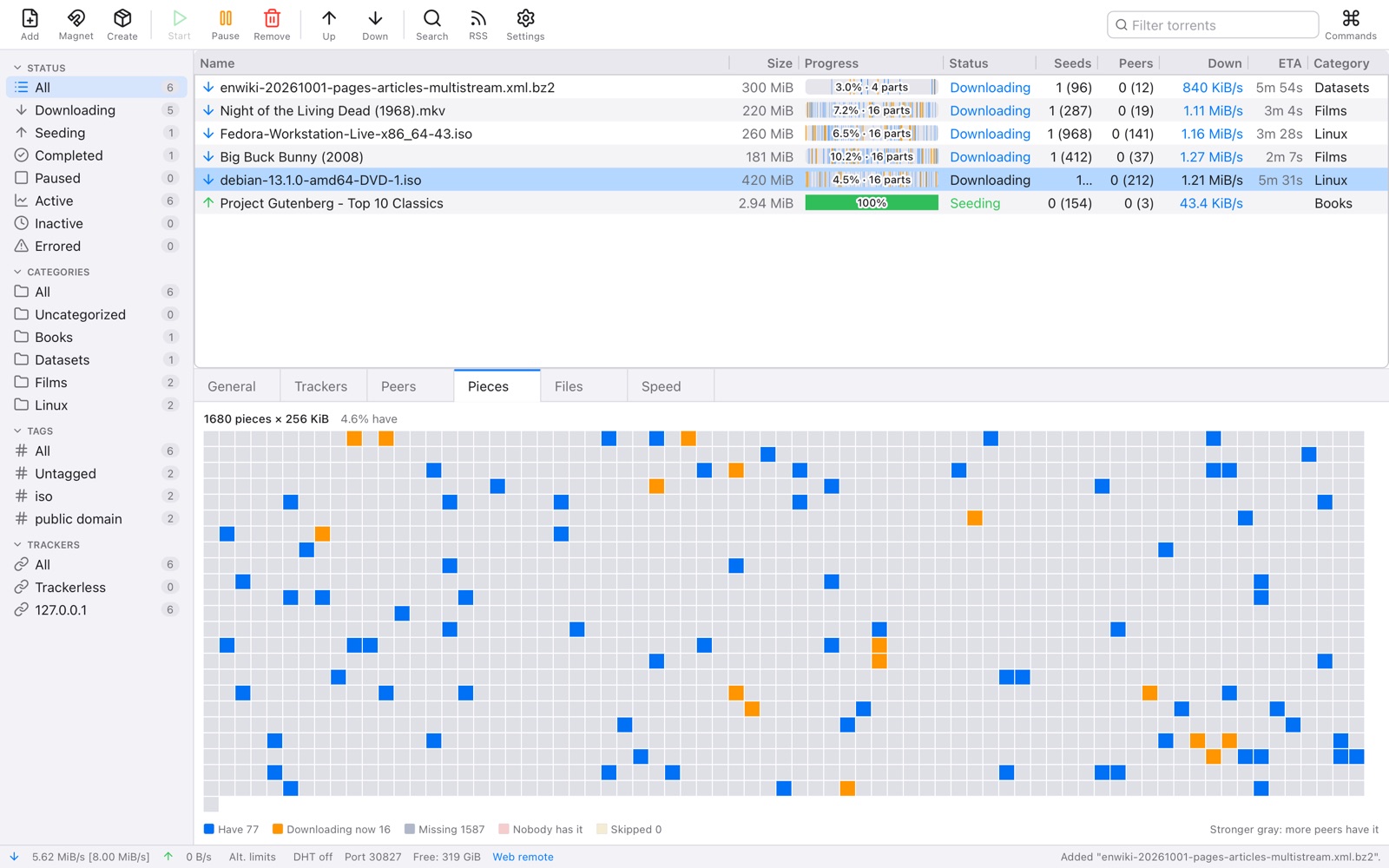
Swarm downloading five torrents at once (a Debian DVD image, Fedora, Big Buck Bunny, Night of the Living Dead and a Wikipedia dump) with segmented progress bars, the Debian image's live pieces map below and categories in the sidebar

Many parts at once, and you can see them

A torrent arrives in pieces, many at a time, from every peer that has them. Swarm's progress bars show exactly that: what you have, and in amber every part on its way right now. The Pieces tab draws the whole file as a live map, and the Speed tab graphs it as it goes.

  • Rarest pieces first, then end-game mode so the last pieces don't wait on one slow peer
  • Seeds and peers you're connected to, and how many are in the whole swarm
  • Trackers, peers with their clients, flags and speeds, and every file in the torrent
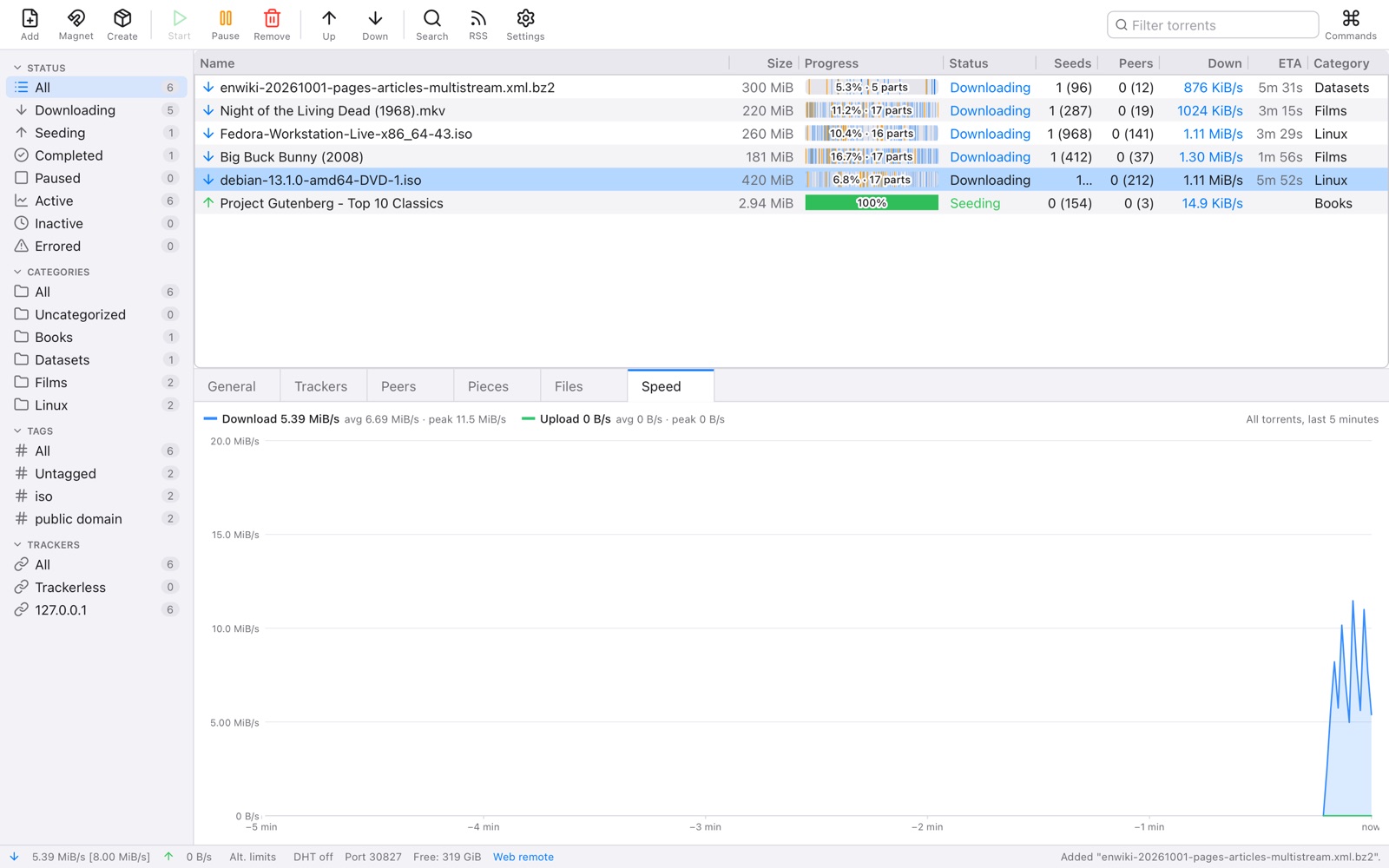
Five downloads in progress with amber parts in their progress bars and the download speed graph for the selected torrent

The whole of BitTorrent

Open a .torrent file, drop one on the window, or paste a magnet link: Swarm fetches what it needs from the peers themselves. It finds peers through trackers, the DHT, peer exchange and on your own network, and talks to them over TCP or uTP, encrypted when you want it.

  • Magnet links, HTTP and UDP trackers, DHT, PEX and local peer discovery
  • uTP and TCP, with protocol encryption preferred, required or off
  • BitTorrent v2 and hybrid torrents, web seeds, and port mapping with UPnP or NAT-PMP
  • Choose which files to download and in what order, sequentially or rarest first
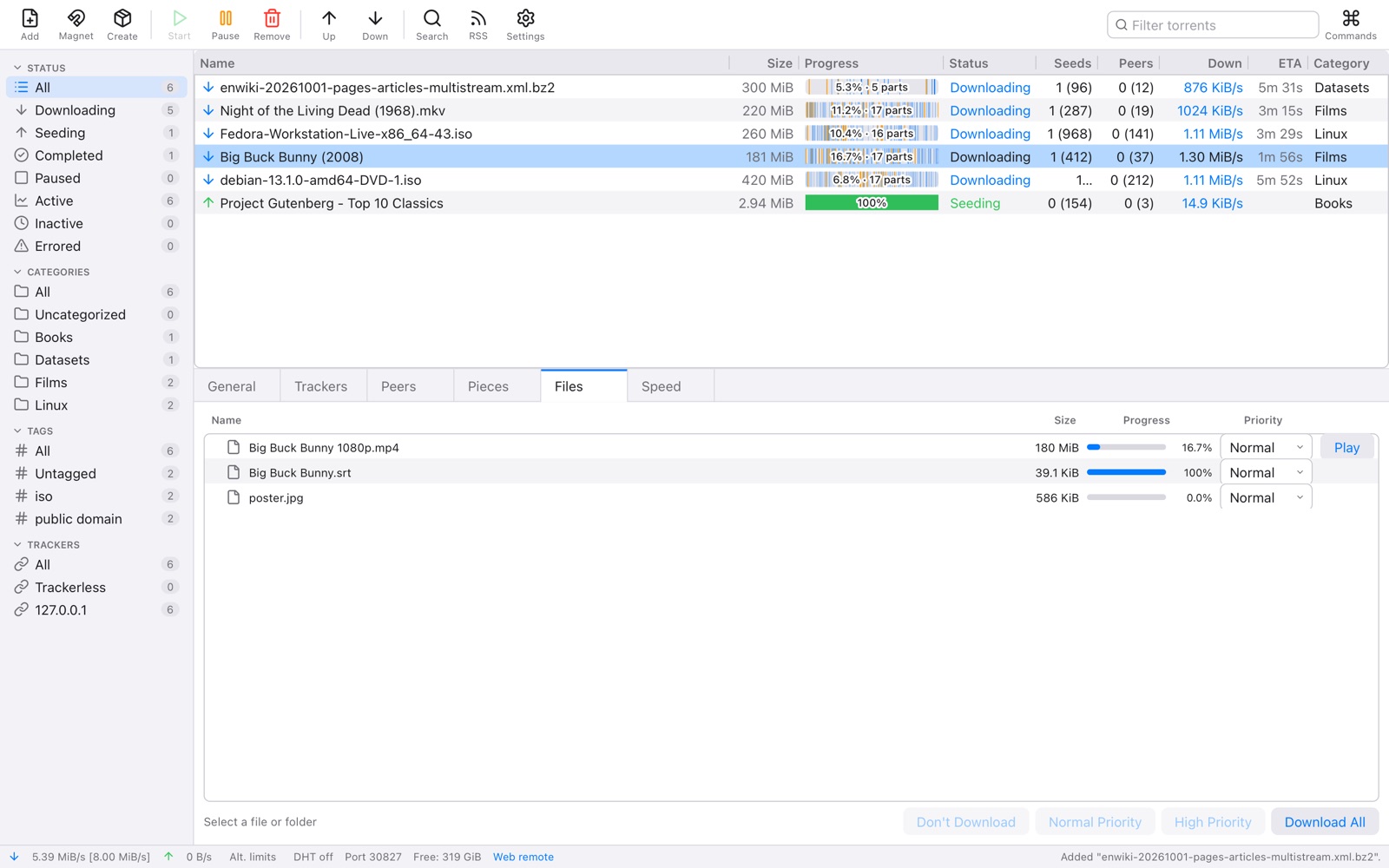
The Files tab of Big Buck Bunny (2008): the film, its subtitles and poster with their progress and priorities

Search free and legal sources

Search the Internet Archive, Academic Torrents and its collections, Public Domain Torrents, LinuxTracker, FOSS Torrents and the official Ubuntu, Debian, Fedora and Arch Linux releases from one box. Tick the kinds of things you want, from films and music to programs, books and datasets.

  • Results with their kind, size, seeds and source, added with one click
  • Add your own search source, or a Torznab-compatible indexer you run yourself
  • Only free and openly licensed sources are built in
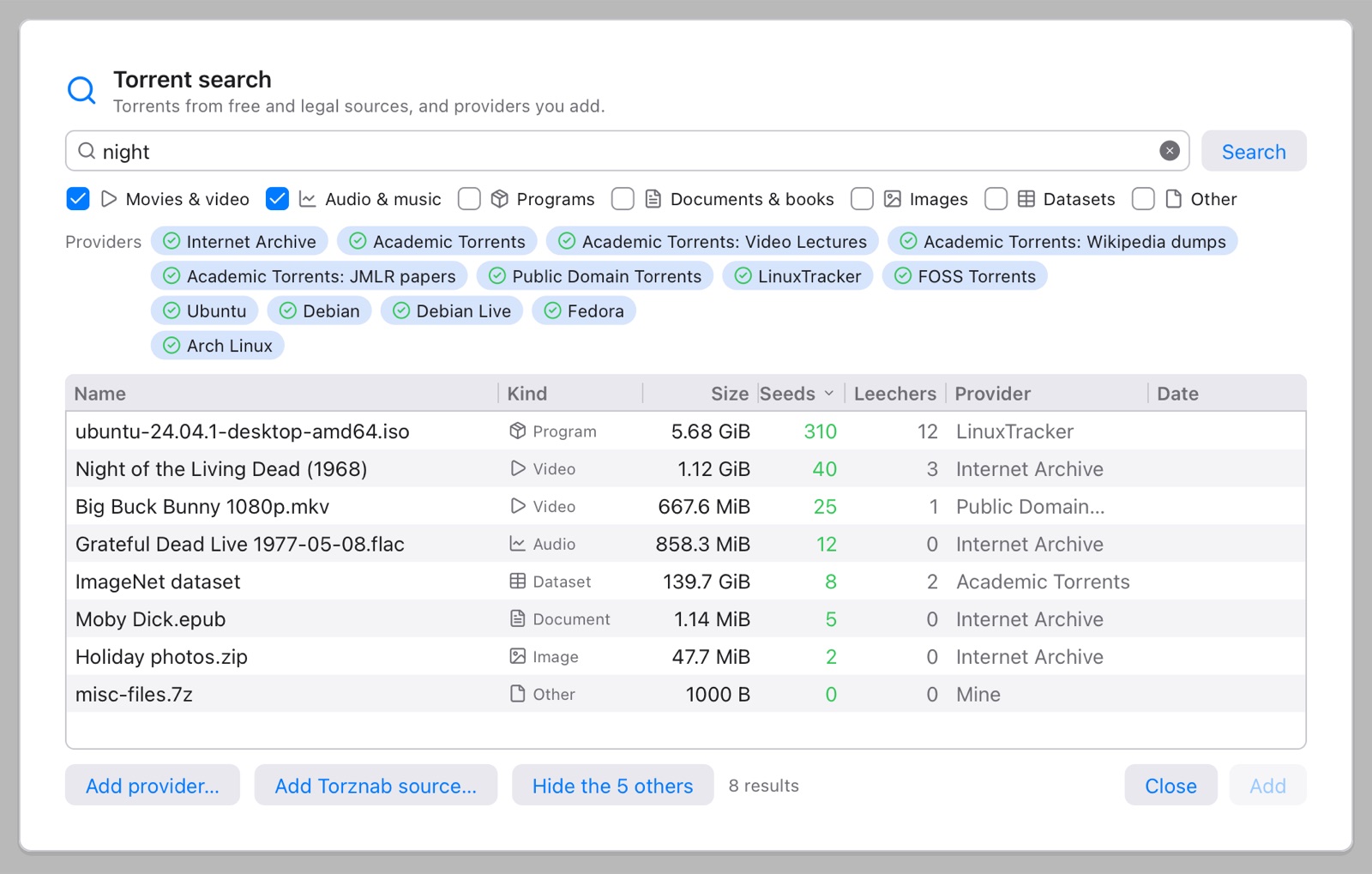
The search window with the films and music categories ticked, showing a Ubuntu image, Night of the Living Dead, Big Buck Bunny, a Grateful Dead concert from the Internet Archive and an ImageNet dataset

New releases, downloaded for you

Add the RSS feeds of the projects you follow, and rules that pick the items you want by their words. Swarm checks the feeds in the background and starts each new match by itself, into the folder and category you chose.

  • Rules with words that must and mustn't be there, regular expressions and episode filters
  • Each item downloaded once, even when a feed repeats it
  • A watch folder: drop a .torrent in it and it starts
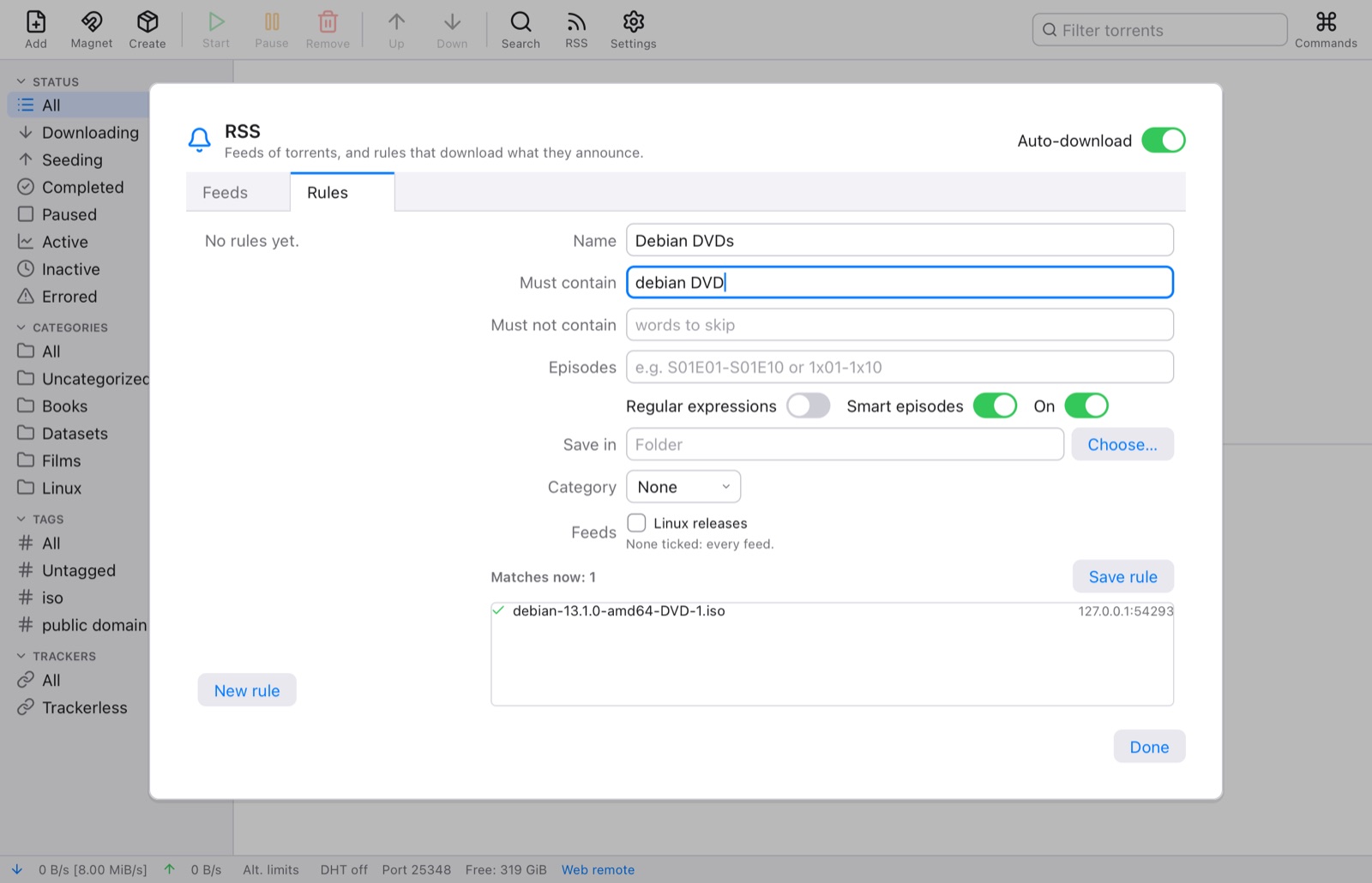
The RSS window with a feed of Linux releases and a new rule that downloads Debian DVD images

From your phone, in any browser

Turn on the web remote and look after Swarm from another computer or your phone: add torrents and magnet links, pause and resume, search, and watch the same segmented bars and pieces map. It's behind a user name and password, and speaks the common part of the qBittorrent Web API that remote apps use.

  • A page made for phones as well as wide screens, light and dark
  • Sign-in with a password that's stored only as a hash
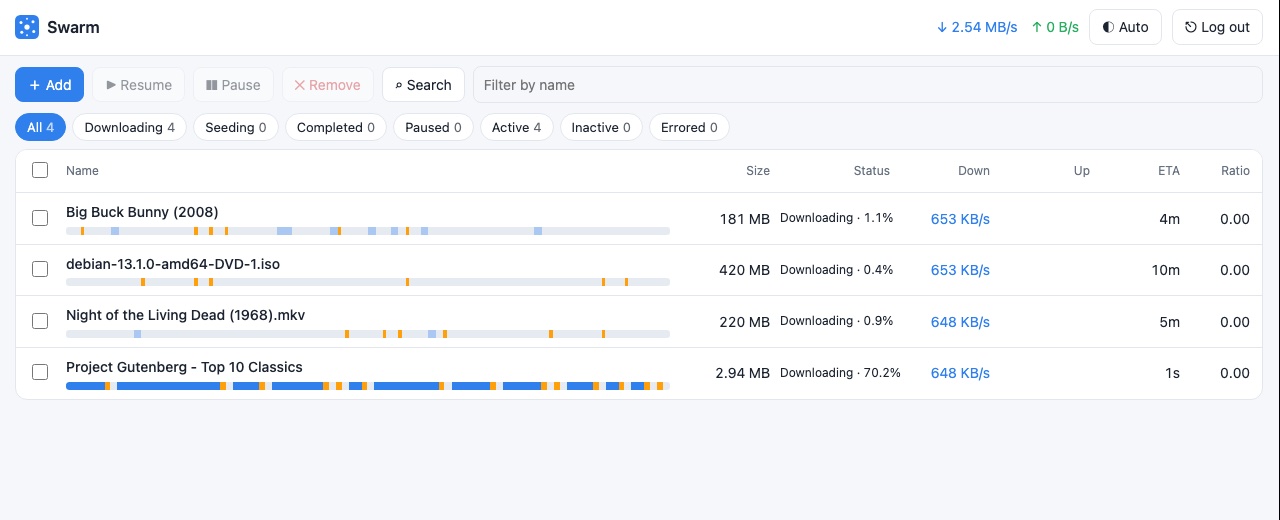
Swarm's web remote in a browser: four torrents downloading with segmented progress bars

Fast when you're away, quiet when you're not

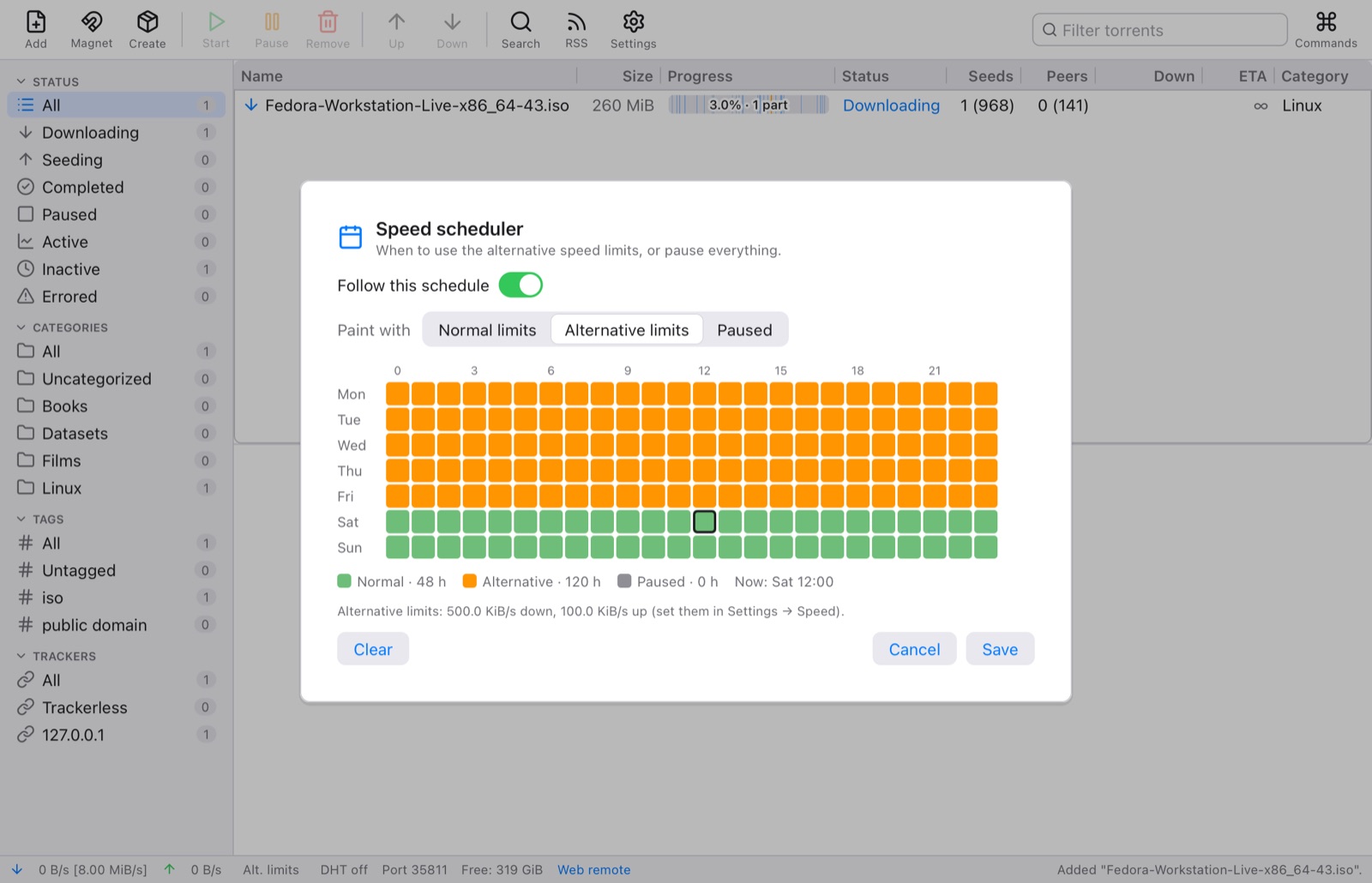
Paint the week in the scheduler: full speed, alternative (slower) limits, or paused, hour by hour. One click in the status bar switches to the alternative limits by hand.

  • Download and upload limits for everything and for each torrent
  • A queue with how many torrents download and seed at once
  • Stop seeding at a share ratio you choose
The speed scheduler with alternative limits painted over every weekday

Share your own files

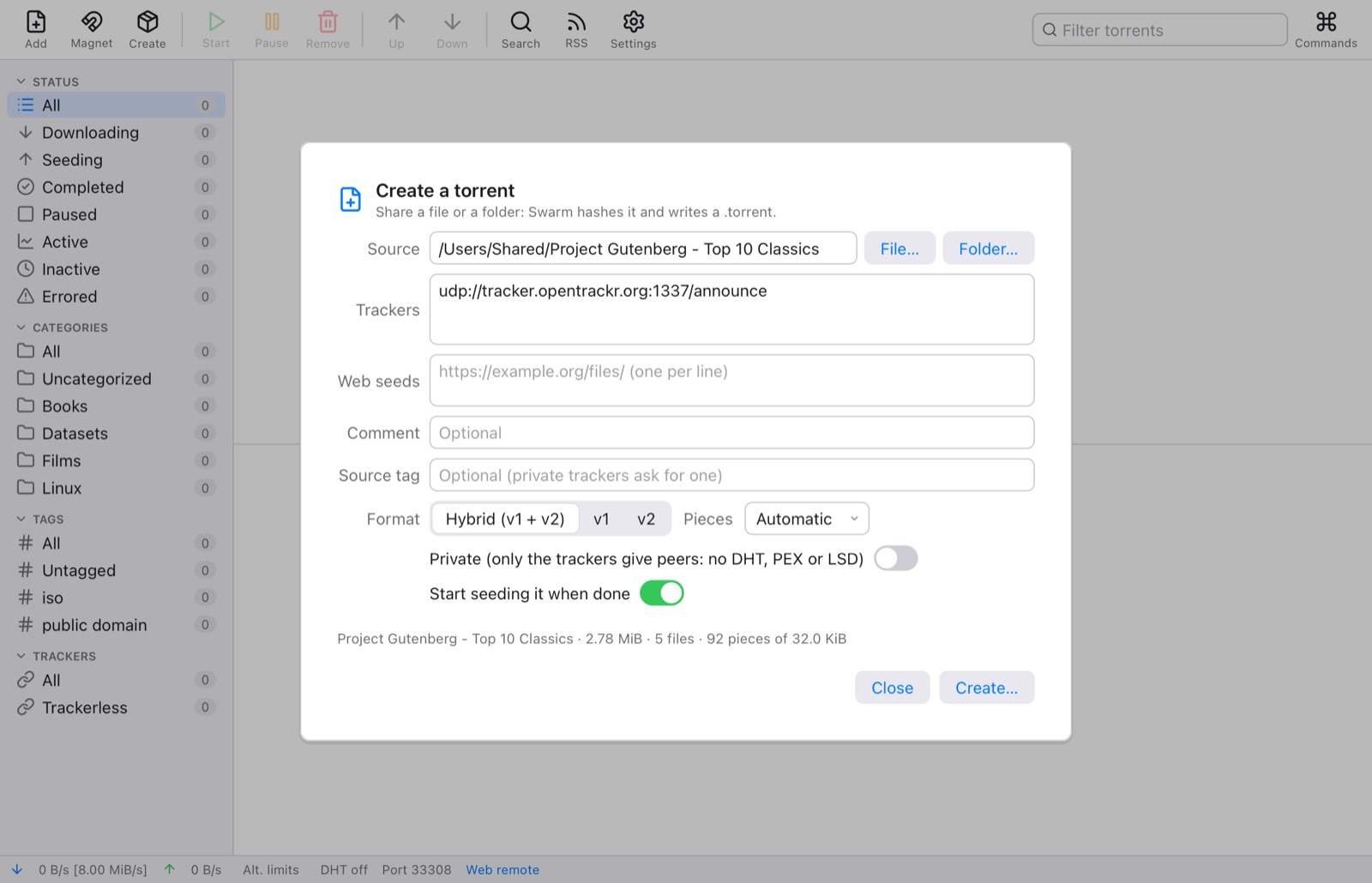
Make a torrent of a file or a folder: Swarm picks a piece size, hashes it in the background, and writes v1, v2 or hybrid torrents with the trackers, web seeds and comment you give it. Then it seeds it, and the magnet link is one click away.

  • Private torrents for private trackers
  • Copy any torrent's magnet link, or export its .torrent file
The Create Torrent window with a folder of five Project Gutenberg books, its piece size and trackers

Organized, light or dark

File torrents under categories, each with its own folder, and tag them as you like; the sidebar filters by status, category, tag and tracker. Swarm follows your system's dark mode, keeps running in the menu bar or tray with its speeds when you close the window, and tells you when a download is done.

  • A command palette (⌘K) for every command and torrent
  • Keyboard shortcuts for everything in the menus
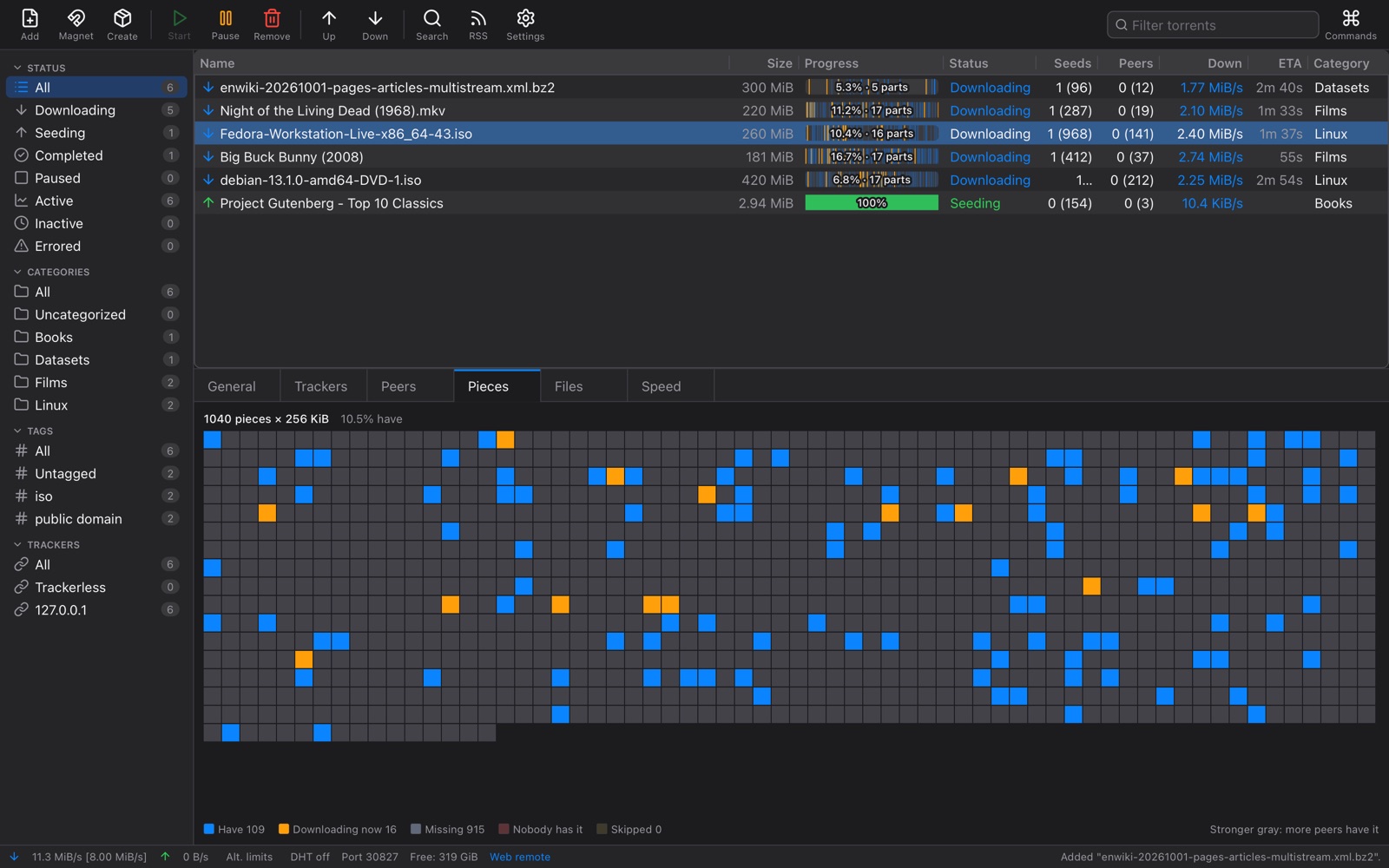
Swarm in dark mode with Linux, Films, Datasets and Books categories in the sidebar and the Fedora image's live pieces map

Watch while it downloads

Stream a video before it's finished: Swarm fetches the parts you're about to watch first, and plays them in its own player.

Magnets in one step

Paste a magnet link (⇧⌘V), drop a .torrent or a link on the window, or open .torrent files from your Downloads.

Picks up where it left off

Quit any time: Swarm remembers every torrent and piece, checks what's on disk, and carries on next time.

Move storage

Move a torrent's files to another folder, even while it seeds, or have each category's torrents moved to its folder.

Bad data kept out

Every piece is checked against its hash before it's kept, and peers that send bad data are banned.

Updates itself

New versions download quietly and go in when you quit. Nothing to click.

Every protocol, written from scratch in Tessel

Most BitTorrent clients are built on the same one or two libraries. Swarm does every part itself: the peer wire protocol, the DHT, uTP, encryption, trackers, port mapping, the disk and the web remote. Every line is written in Tessel, a programming language for native desktop apps: about 40,000 lines and no outside libraries.

Peers

The wire protocol with the fast and extension protocols, metadata exchange, PEX, choking and end game.

Finding peers

HTTP and UDP trackers with scrapes, the Kademlia DHT, and local peer discovery.

Transport

TCP and uTP with its delay-based congestion control, and RC4 message stream encryption.

Torrents

v1, v2 and hybrid torrents with their Merkle trees, magnet links and web seeds.

Tested on this computer against libtorrent, peer to peer, in both directions.

Download

macOS

Apple silicon · macOS 11 or later · disk image

Not released yet

Signed and notarized by Apple. Open the disk image and drag Swarm to Applications.

Windows

Windows 10 and 11, 64-bit · installer

Not released yet

Early preview, not yet tested on Windows. The installer isn't signed yet, so Windows may warn about it the first time: choose More info ▸ Run anyway. Windows may also ask whether Swarm may use the network: allow it, so peers can reach you.

Downloads appear here when a release is out.

Once installed, Swarm keeps itself up to date: new versions download in the background and go in when you quit. Please download and share only what you have the right to: Linux and other free software, public-domain and openly licensed works, open data, and your own files.